Use the map
Date, time and the live sky
The time control moves you from “what is above me now?” to “what will be worth looking at tonight?”, without changing your observing place.
Start with Live
Press the play button labelled Start live sky, or pick Live in the Date and time panel, to lock the map to the current system time. In Horizontal mode this is the fastest way to orient yourself outdoors: the map keeps rotating the sky and updates the calculated positions of the Sun, Moon and planets in real time.
Choose a future or past time
Use the date-and-time field to set a specific local moment. Reach for it to check when a target clears a roofline, to compare the Moon’s phase on different nights or to prepare for a conjunction. If a result looks wrong, confirm the date and the observer location before anything else.
Live sky and time-lapse
Live follows the current time. The ×60, ×600 and ×3600 controls accelerate time so the daily motion of the sky becomes visible; use a short lapse to see which way objects drift or when a target approaches the horizon. Stop freezes the flow at a moment you want to keep.
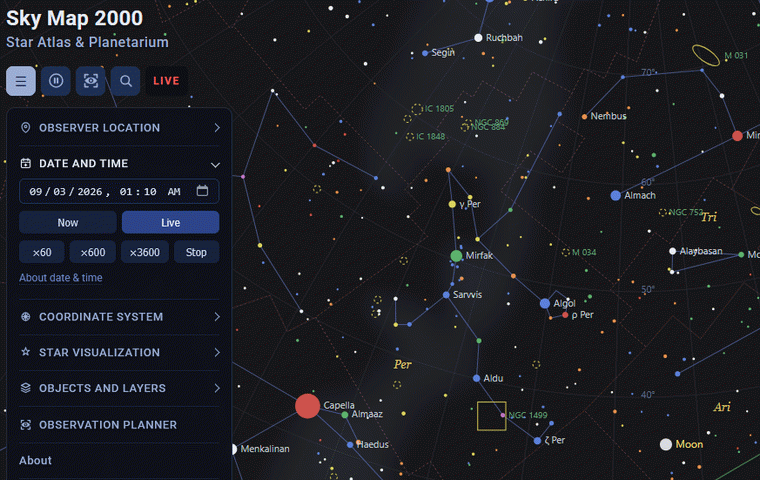
To make a real comparison, check the observation planner, inspect a changing target through its object card, or open the 3D Solar System.
What changes as time moves
Stars appear to rotate because Earth rotates. The Sun, Moon and planets also drift against the background stars, though on different timescales. That is why a star atlas holds up across a night, while the Moon or a planet only makes sense once the date and time are right.
What the clock cannot predict
The time controls model celestial geometry, not observing conditions. They know nothing about weather, cloud cover, transparency, local obstructions or light pollution. A target can be high on the map and still make a poor real-world observation.