Plan and save
Observation planner
The planner turns the place and time you have selected into a short list of targets worth checking first.
Open the planner
Open it from the eye icon in the top bar, or open Astronomy tools with the telescope icon and choose Observation planner. It uses the same location, date and time as the map, so set those before you treat a recommendation as useful. For a quick overview of the current day’s Sun, Moon and dark-sky conditions, open Today from the sunrise-and-horizon icon first.
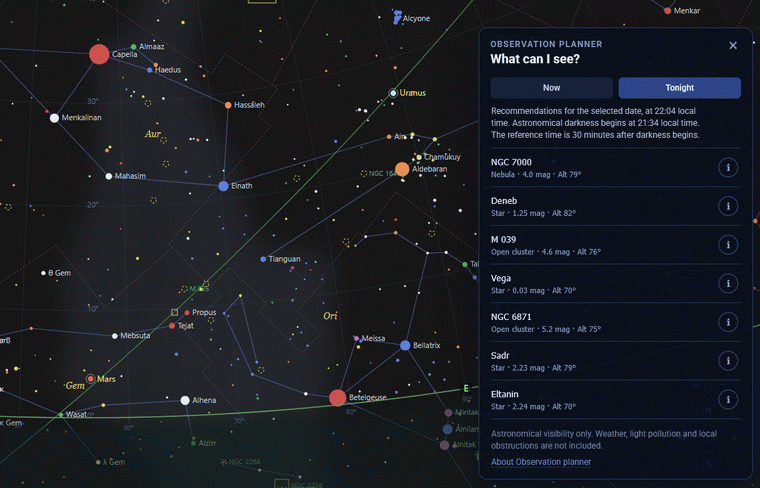
Now and Tonight
Now evaluates the selected instant. Tonight uses a consistent evening reference: 22:00 local time, or, when later, 30 minutes after astronomical darkness begins. That gives a stable planning point; it is not an instruction to observe at exactly that minute.
How recommendations are chosen
The planner favours targets that sit comfortably above the selected horizon and mixes the Moon, planets, bright stars and suitable deep-sky objects. Select a target to centre the map on it, or use its information button to open the full card.
A recommendation earns its place once the observer location and date and time are right. Select a target to read its object card before you head outside.
When there are no recommendations
If nothing meets the altitude criteria at the selected time, the planner says so. Try a later time, review your location, or explore with search instead. An empty result is better than a confident-looking target list you cannot see.