Use the map
Active meteor showers
The meteor-shower layer shows you where a shower’s radiant sits in the sky you have set up. It is a placement aid; the number of meteors you actually see depends on the night.
Turn on the radiant layer
In Objects and layers, enable Active meteor showers. The map draws radiants for selected major showers active on the chosen date. A brighter marker means the radiant is above your calculated horizon; a muted marker means it is below it. A ring identifies the annual maximum date.
Open a shower card
Select a radiant to see the shower’s activity period, annual peak, reference ZHR, geocentric speed, reference coordinates and current local altitude and azimuth. Search also accepts shower names and their three-letter codes, such as Perseids or PER. Searching an inactive shower opens its card too, clearly marked as inactive.
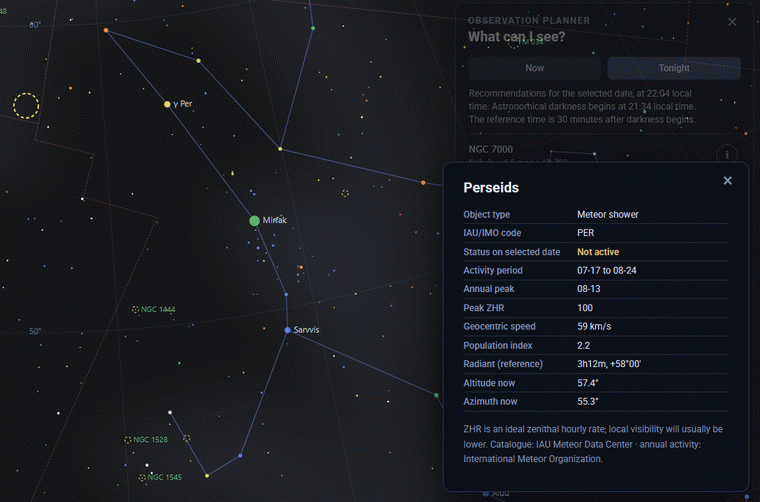
Plan around the radiant
The radiant has to be above your real horizon for a shower to be worth setting up for. Higher is usually better, though meteors can appear anywhere in the sky, so give yourself a wide unobstructed view and let your eyes adapt. The Moon, cloud, haze and local light pollution shape what you finally see more than the reference numbers do.
What ZHR means
ZHR is an idealised zenithal hourly rate under excellent dark-sky conditions with the radiant at the zenith. It is a reference figure, not a local forecast and not a live count. Real-world rates are usually lower.
For a real session, confirm the observer location and selected time, then use the observation planner to find other targets for the same night.