Plan and save
Export a sky map as PNG and print it
The camera control saves the exact map you have prepared, and writes your observing context into the image metadata so the file stays interpretable later.
Save the current map
Select the camera button in the right toolbar to download a PNG of the active map canvas. The filename follows the observer-local date and time, for example sky-map-2000_2026-09-02-2215.png. It is a snapshot of your chosen view, not a generic atlas image.
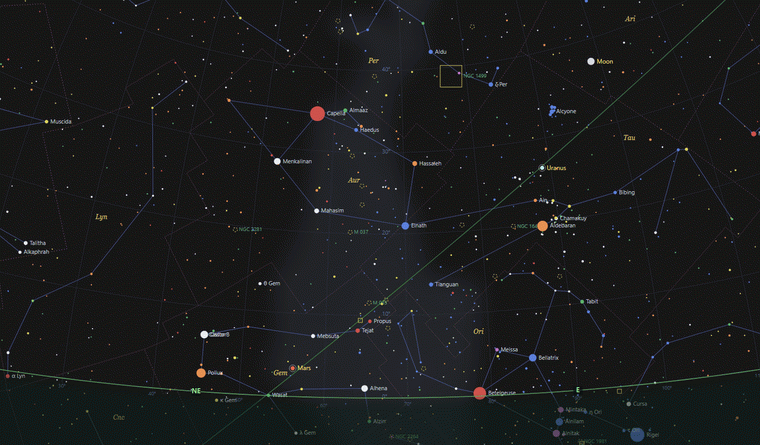
What the PNG records
Sky Map 2000 writes textual metadata for title, author, copyright and source, plus the selected location label and coordinates, local date and time and time zone, UTC, coordinate mode, map centre, field of view and active layers. That keeps the exported image interpretable long after the session.
Print or save as PDF
The application exports PNG rather than opening a direct print dialog. Open the downloaded image in your system viewer or image tool, then use its print command. If you need a PDF, use your operating system’s “Save as PDF” option at that stage.
Prepare a useful chart
Set the intended location and time, centre the relevant part of the sky and trim the map to the layers the task needs. For a target note, a clean horizon, a few labels and the selected object usually work better than every available overlay.
Before exporting, simplify layers and labels, confirm the date and time, and check a target through its object card.